HW2: Dplyr
Download and Instructions
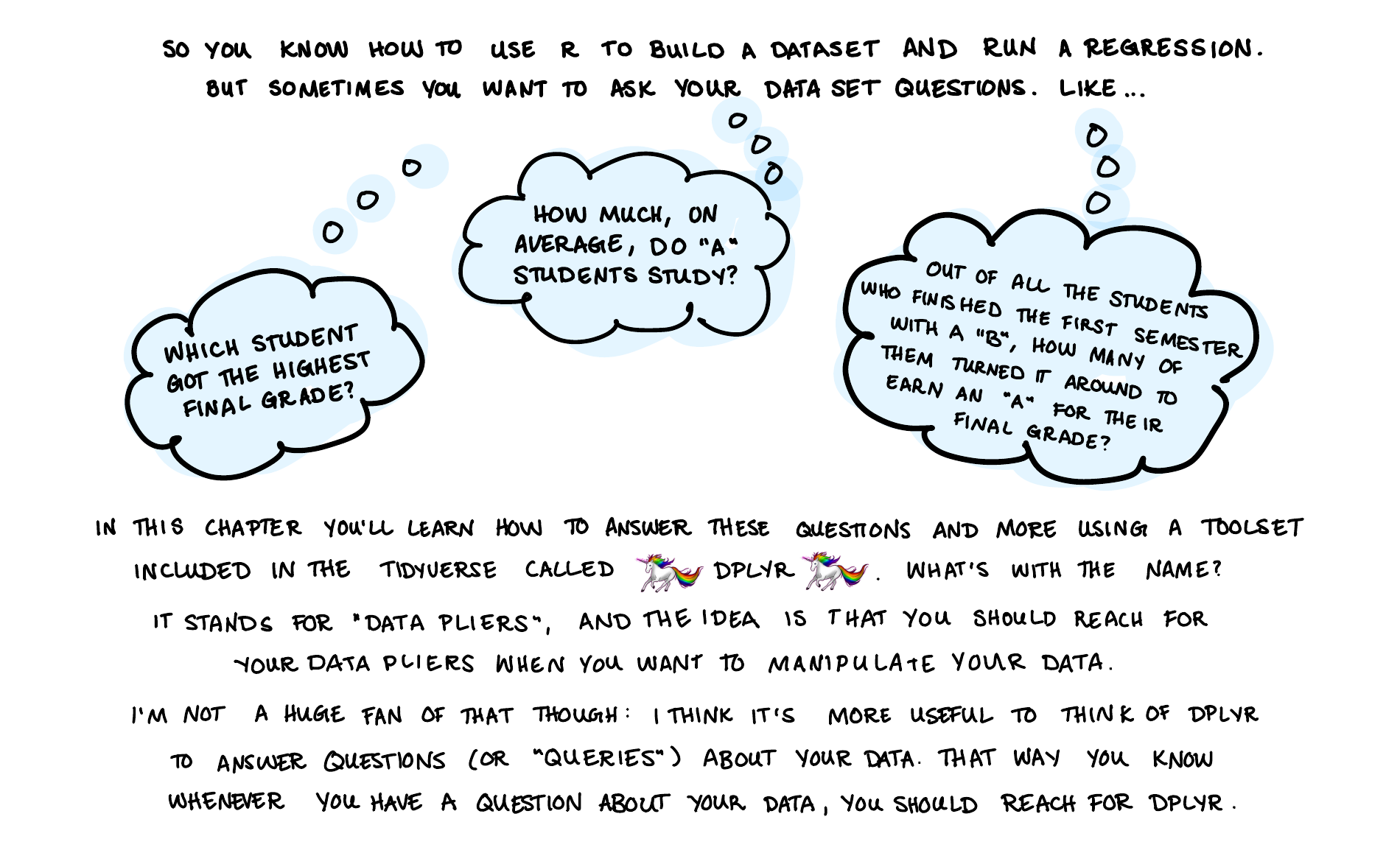
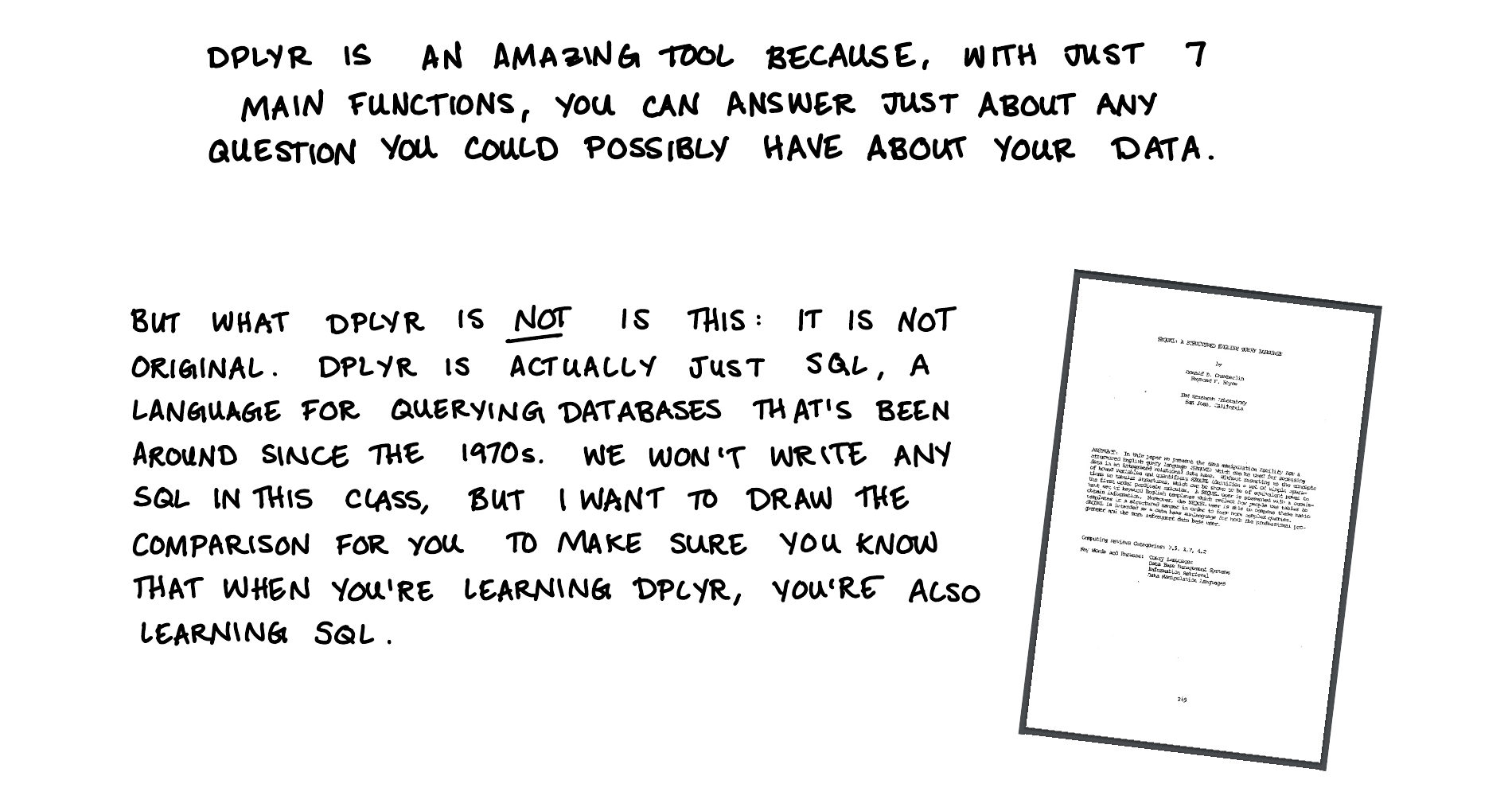
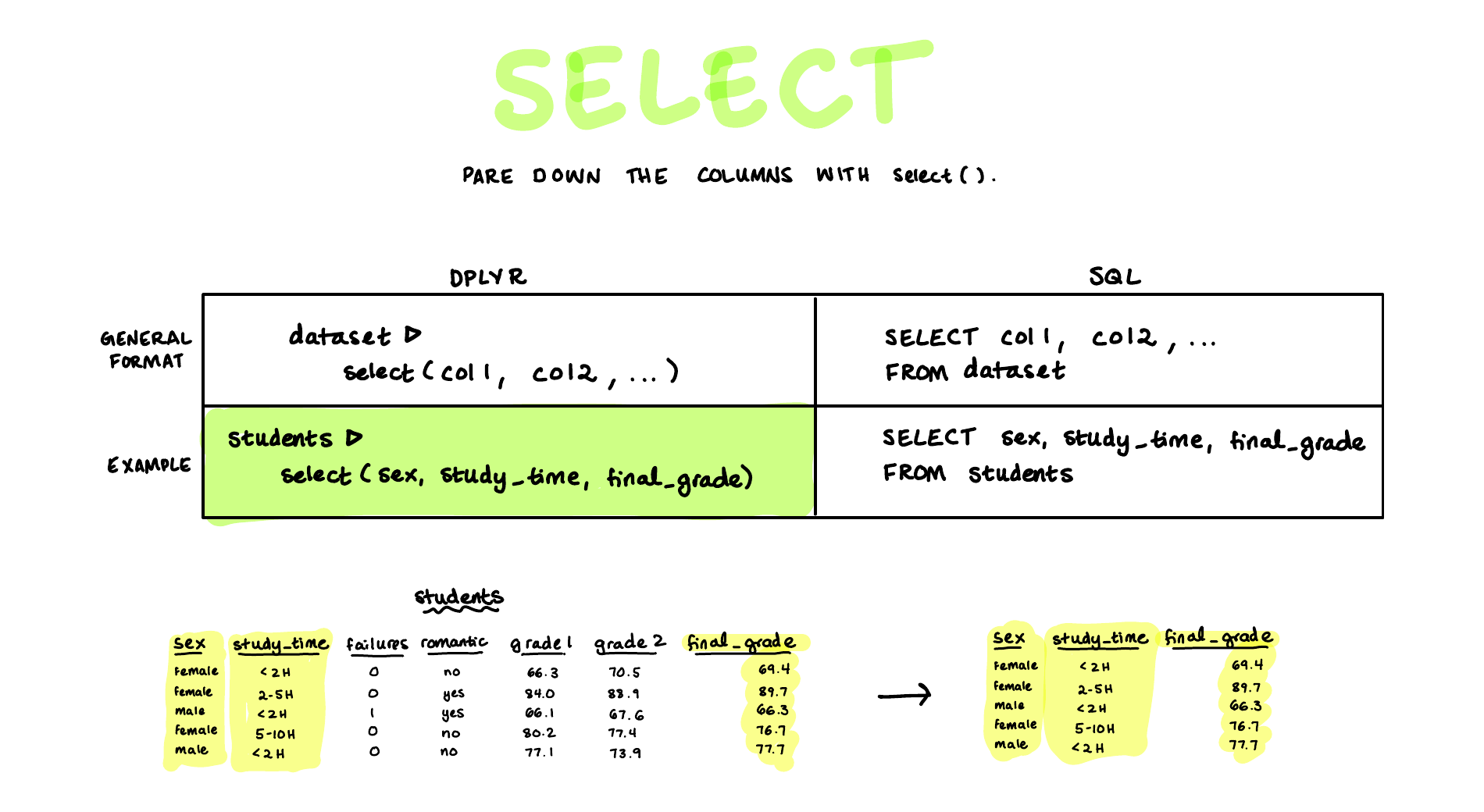
Here’s your second set of koans. This set teaches dplyr, the tidyverse package for asking questions of a dataset. dplyr has seven verbs: filter, select, mutate, summarize, group_by, arrange, and slice. With those seven you can answer almost any question you have about a table of data.
The dataset for these koans is our own class survey: one row per student, one column per survey question. So the questions you’ll answer are the ones we’ve been asking in class. Do employed students sleep less than students without jobs? Which year in school drinks the most caffeine? Who has the longest commute?
Getting the data
The survey is not inside the zip file. Instead, each koan reads it from the web, so you need an internet connection while you work. The web address (URL) of the survey is posted on Canvas, in the Homework 2: Dplyr assignment. The first koan tells you exactly where to paste it.
Why is the data on Canvas and not on this website, like everything else? The survey is anonymous: there are no names in it. But anonymous is not the same as unidentifiable. With 95 students and 22 questions, a few columns together can single a person out. Thirty-five of you are the only student in the class with your combination of major and year in school. Add birth month, and that number rises to 83 of 95. Within the class, that’s fine. You all took the survey knowing your classmates would analyze it, and nothing in it will surprise anyone who sits in the room with you. On the open web, though, the file could be found by anyone, forever, including people who were never part of that bargain. So the data lives behind a link that only this class has. Please don’t share the URL, and don’t post the data anywhere.
Setting up
First, download koans2.zip by clicking the link in the first paragraph. Unzip it, and then rename the unzipped folder so that it has your name in it, for example koans2_lastname. Do this before you open anything. Your Downloads folder already holds the earlier koans folders and their zip files, and they all look alike. Renaming right away means you always know which folder you are editing and, when you finish, which folder to zip and upload. The original koans2.zip stays in Downloads with the unedited koans in it, so if you skip this step it is easy to upload the wrong one.
Then open the project by double-clicking koans2.Rproj inside your renamed folder (not the individual .R files). If nothing happens when you double-click koans2.Rproj, open RStudio and navigate to File > Open Project, and then find koans2.Rproj inside koans2_lastname in your Downloads folder.
You set up the keyboard shortcut for running tests in HW1. If you’re on a new computer, redo that step:
Macs: Tools > Modify keyboard shortcuts > Run a test file > Cmd Shift T > Apply
Windows: Tools > Modify keyboard shortcuts > Run a test file > Ctrl Shift T > Apply
Now open koan_01_class_data.R in the R/ folder. This koan has one job: you paste the URL from Canvas into read_csv() and run the file, which creates a tibble called class_data. Do this before you run any tests. Until the URL is pasted in, the tests stop with the message 'PASTE THE URL FROM CANVAS HERE' does not exist, which is R telling you it went looking for a file by that name. The other three koans each begin with the line source("R/koan_01_class_data.R"), which re-runs the first koan. So whenever you restart R, that one line brings the data back.
Then work through the remaining koans in order: koan_02_filter_select_mutate.R, koan_03_summarize_group_by.R, and koan_04_arrange_slice.R. Each file teaches with live examples that you should run as you read. These koans work a little differently from HW1. There are no NULL placeholders to fill in. Instead, under each question header you’ll find a copy of the most recent example query, and your job is to edit it into the answer. Run your code in the console (Ctrl/Cmd + Enter), look at the tibble it returns, save your edits (Ctrl/Cmd + S), and press Ctrl+Shift+T (Cmd+Shift+T on Mac) to run the tests. The tests read the file as it is saved on disk, so an unsaved answer shows up as not attempted. A question whose query you haven’t edited yet is reported as skipped. A wrong answer tells you what differs from the expected table: the column names, the number of rows, or the values inside.
One caution. The tests load every koan file before they run, so a typo in one file (a misspelled column name, say) stops the tests for all four files, with a message that points at the line. Fix that line and run the tests again.
Turning it in
Before you zip anything, run the tests one last time and read the output. Every koan must be at 100% passing, with no errors. Do not upload a submission that stops with an error, and do not upload one with failing or skipped tests. My grader runs the same tests you do, so if the tests stop on your computer they stop on mine too, and questions the tests cannot reach get no credit even if the code underneath them is right. If the tests will not run, that is the thing to fix, not something to upload and hope about. Also check that your edits are saved: the tests read the files on disk, so if the test output does not match what you see in the editor, you have unsaved changes.
When every test passes, go to your Downloads folder and find the folder you renamed, koans2_lastname. Compress that folder into a zip file (not the original koans2.zip you downloaded, and not one of the earlier homework folders). Finally, upload that zip file to Canvas for me to grade. The koans are due before class on Monday 10/12. If you get stuck, come to office hours or email to make an appointment.
Dplyr Notes
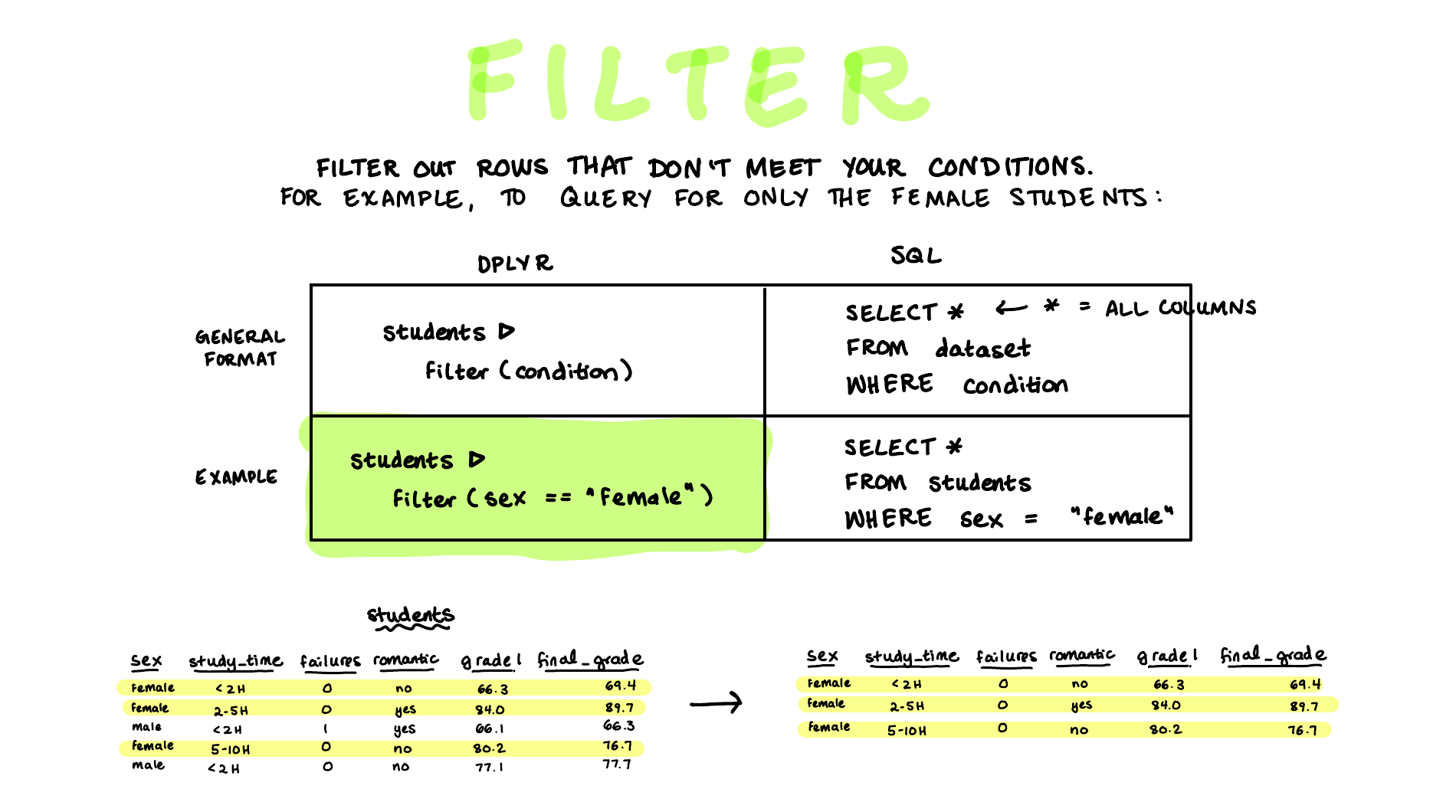
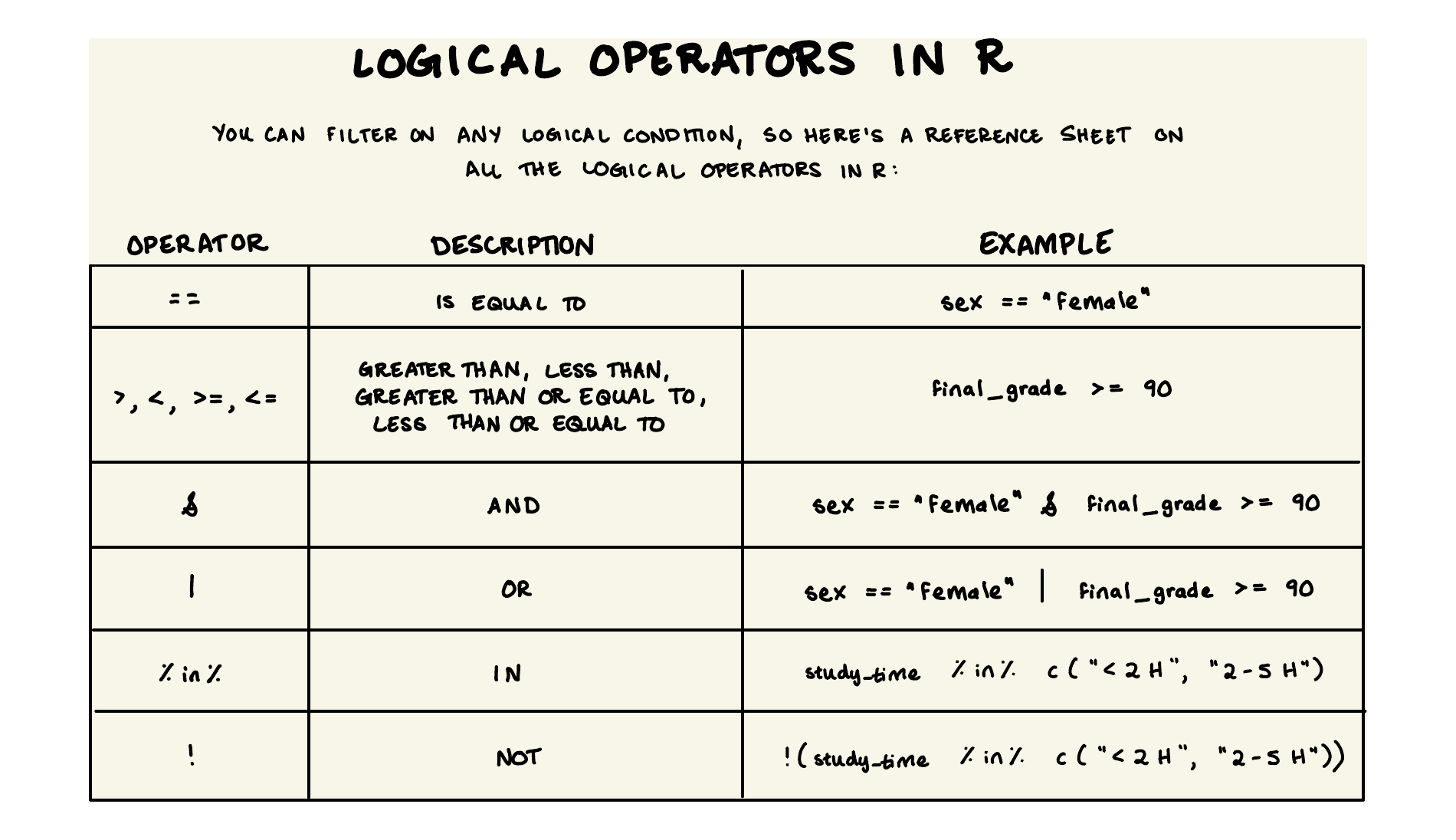
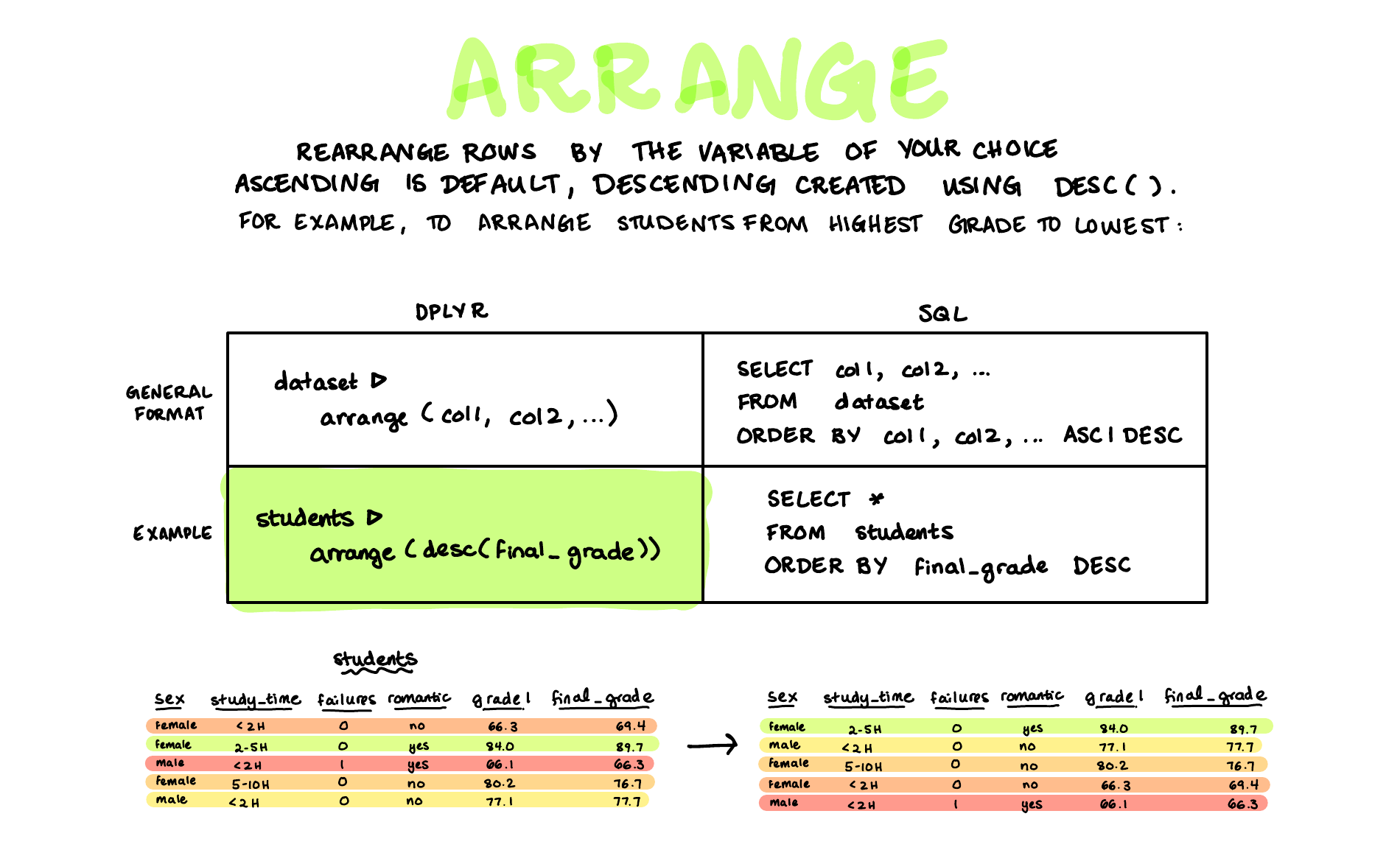
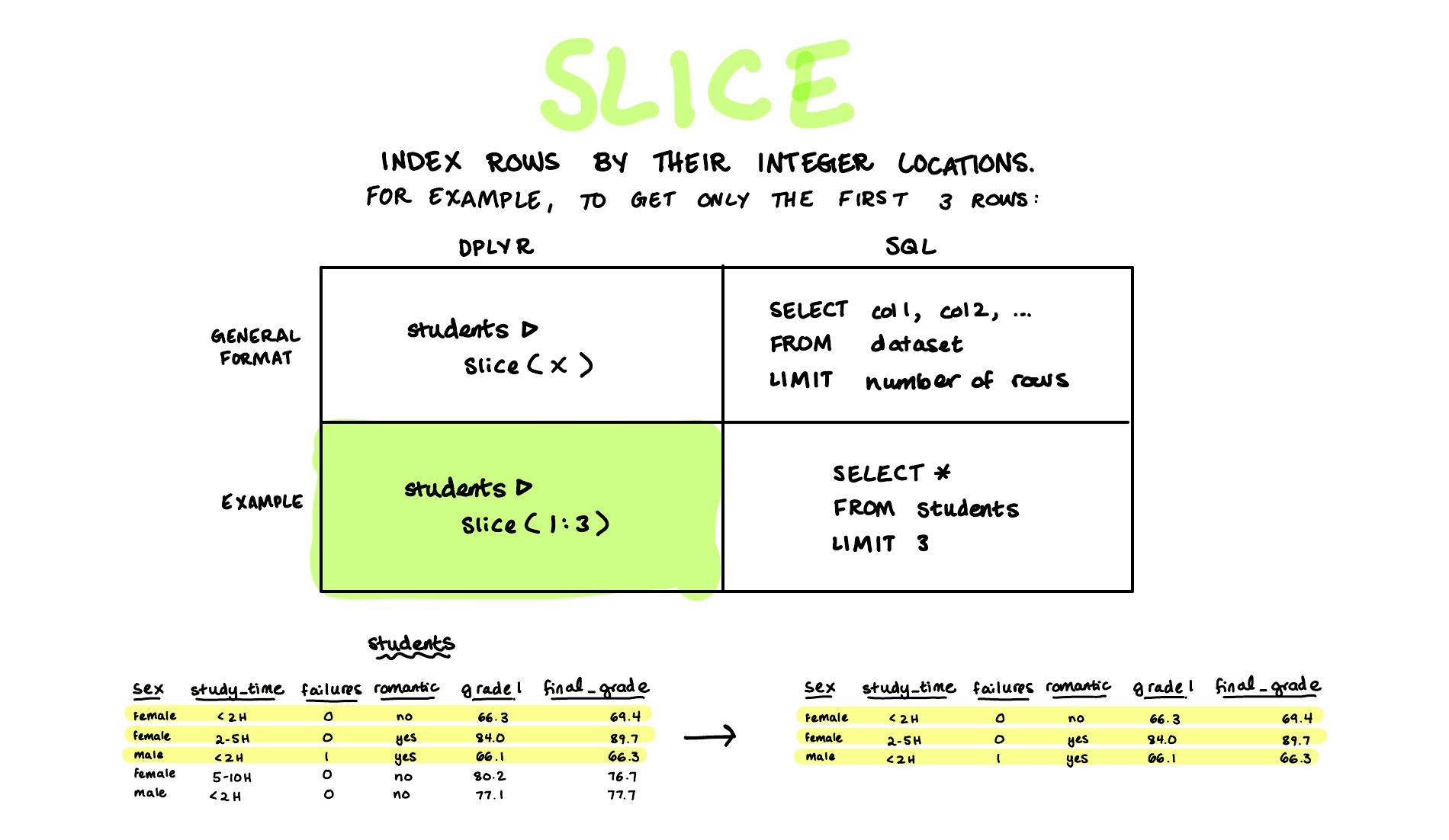
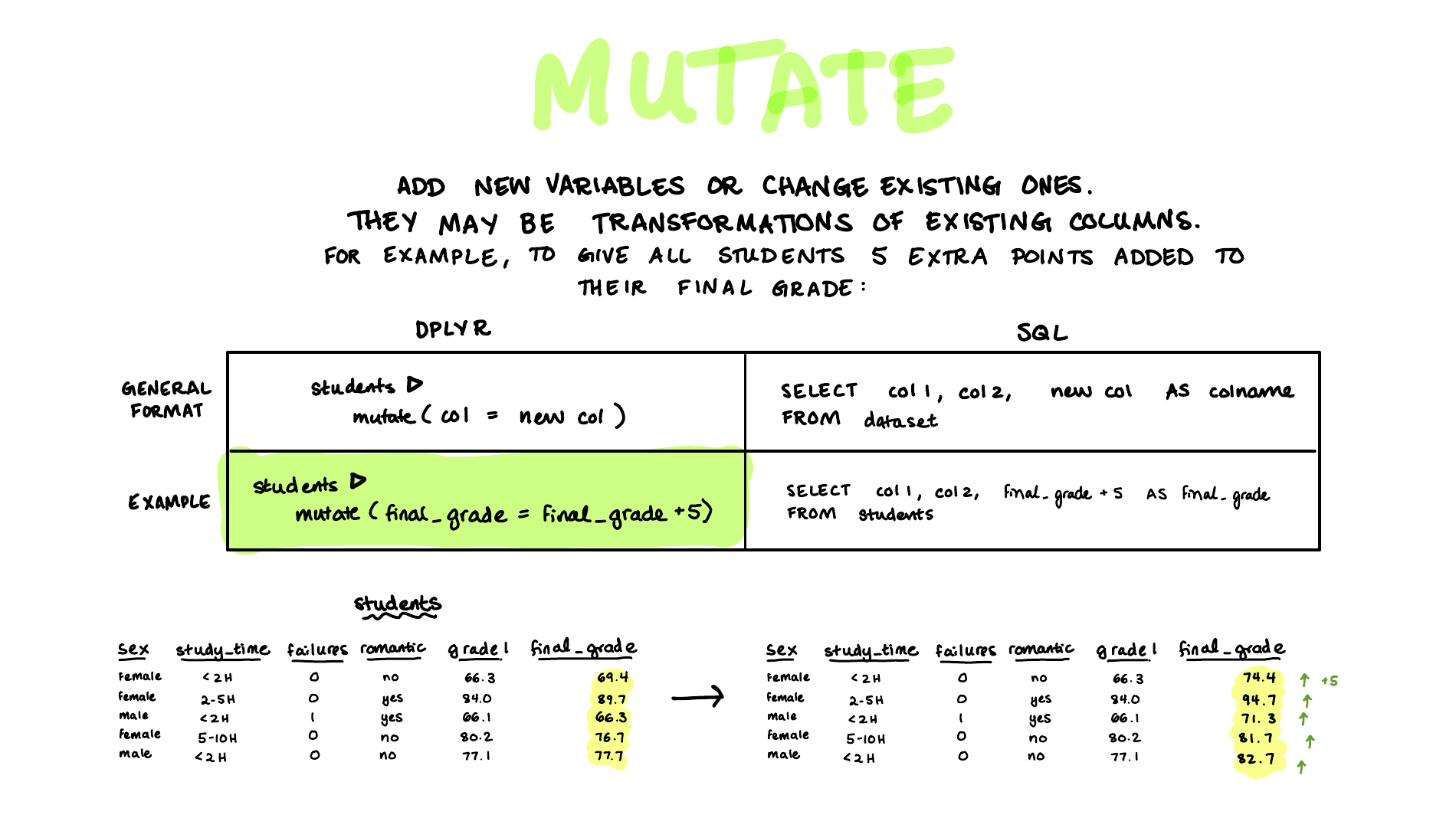
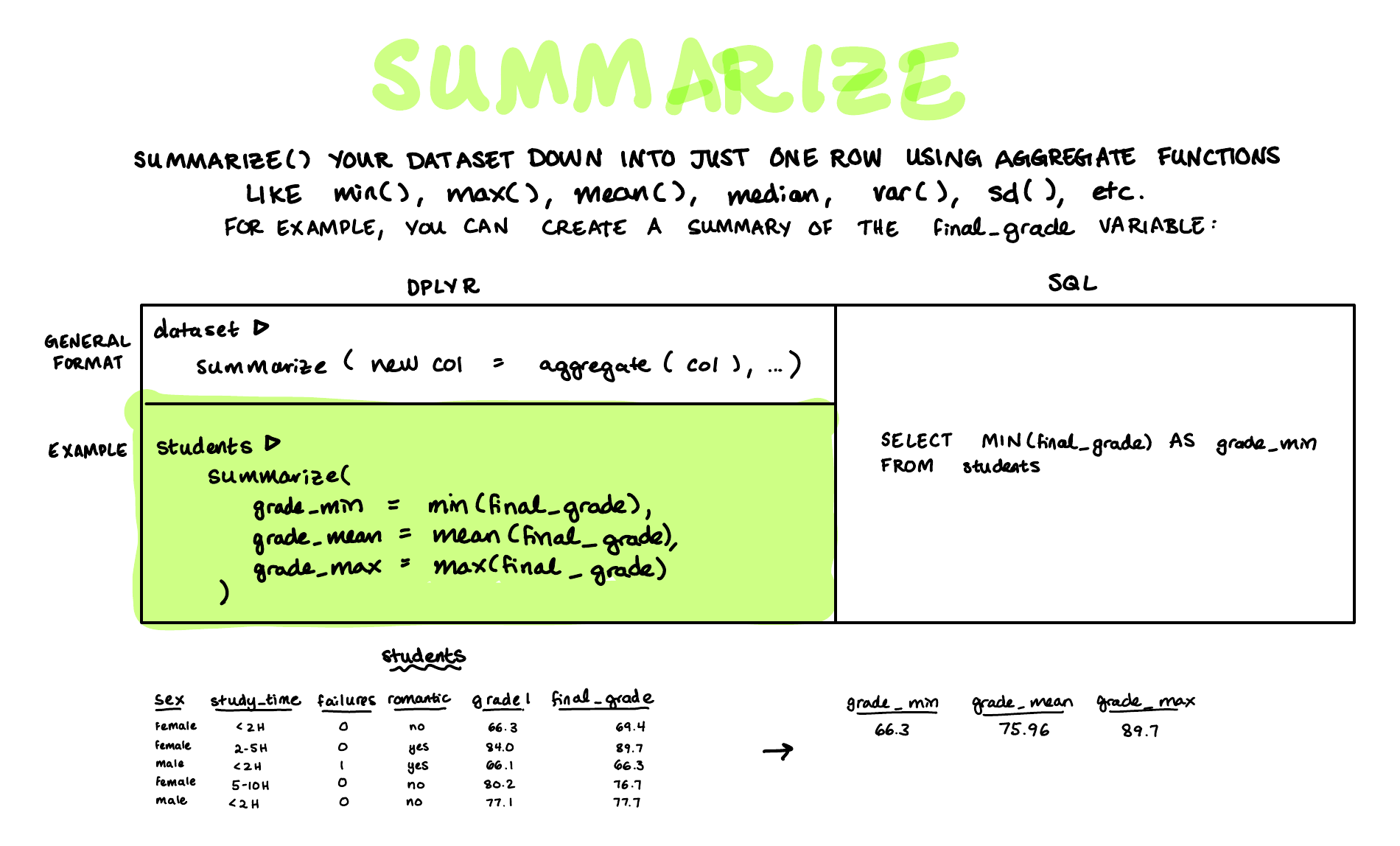
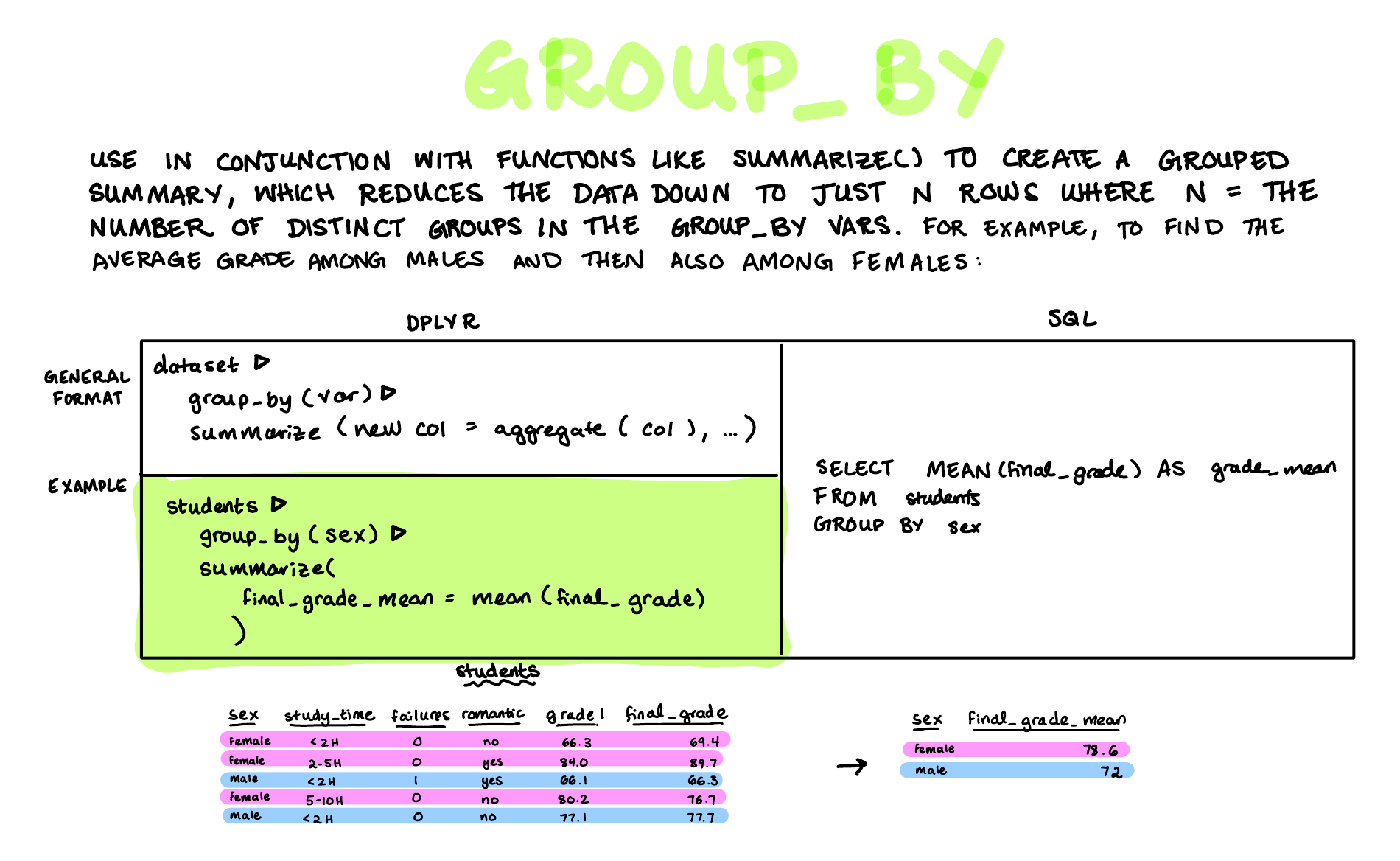
Check Your Understanding
The thirty multiple choice questions below cover the seven dplyr verbs from the second set of koans. They don’t use the survey. Instead, each quiz works from a tiny tibble called students (four rows, three columns) that is printed at the top of every section, so you can answer every question from what’s on the screen.